Read reports and export data
Choose the period and source, inspect operational results and export the reports available to your role.
- 1
Choose the report, period and workspace
Open Reports and verify the workspace, time period and any source filters. Read each metric's label and definition. Sync delays, missing store history and the chosen status filters can affect totals; a blank or loading result is not proof of zero activity.
- 2
Review service and commercial outcomes
Use inbox response/handling measures to find work needing attention. Commercial metrics use recorded store and activity data. Revenue is not automatically a bank settlement or accounting reconciliation; campaign attribution is an association under the report's rules, not proof of causation.
- 3
Inspect returns and warranty separately
Open the Returns report, filter period and products, then inspect reasons, requested outcomes, processing time and recorded warranty history. Refund values reflect recorded refund operations and require financial access. Export case rows or available report tables as CSV for further analysis.
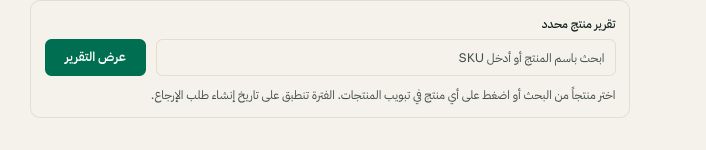
Filter the return report by product name or SKU. Arabic interface shown; use the corresponding labels in your chosen language. Your available options and saved values may differ. Open the image to enlarge. - 4
Export only what your role permits
Use the export control shown on the relevant report. Keep exported customer data private and reconcile the filters and totals before using it outside Moyafa. If financial data is hidden, ask the owner about access; sharing an owner's login is not the solution.