Import your customers
Paste contacts or upload CSV; use the separate smart importer for Excel/PDF.
- 1
Open Customers → Import
Choose Import contacts, then Paste or Upload CSV. Download the sample for name, phone, email, city and tags, using international phone numbers. For Excel/PDF, use the separate Smart import link on Customers and review its extracted records before import. Connected-store customer records arrive through store sync; a file import does not invent purchase history.
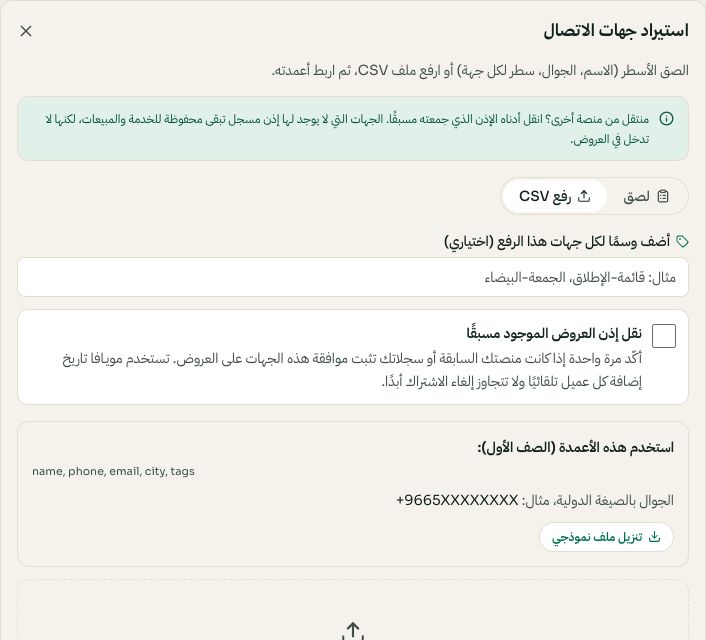
CSV import and existing-consent confirmation before uploading. Arabic interface shown; use the corresponding labels in your chosen language. Your available options and saved values may differ. Open the image to enlarge. - 2
Map the columns
Match name, phone, email, city and tags. Invalid phone numbers are skipped and counted so you know exactly what came in.
- 3
Tag as you go
Tags are what you'll target later — «riyadh», «wholesale», «eid-2026». Add a group tag during import to find these contacts later. Campaign eligibility still requires recorded marketing consent.
- 4
Respect consent
Only message customers who opted in. Importing a number is not consent — review the state in the Compliance center before you send.