Connect your Shopify store
Install from the Shopify App Store — orders, products and customers sync with live webhooks.
- 1
Install from the Shopify App Store
For a first-time connection, install Moyafa from the Shopify App Store — Shopify handles the authorization and brings you straight back.
- 2
Approve the permissions
Approve Moyafa's permissions on Shopify's install screen. Your access token is stored encrypted.
- 3
Reconnecting later
Open Settings → Shopify to check the connection. If disconnected, follow the reconnect/install option shown; uninstalling in Shopify requires installation again.
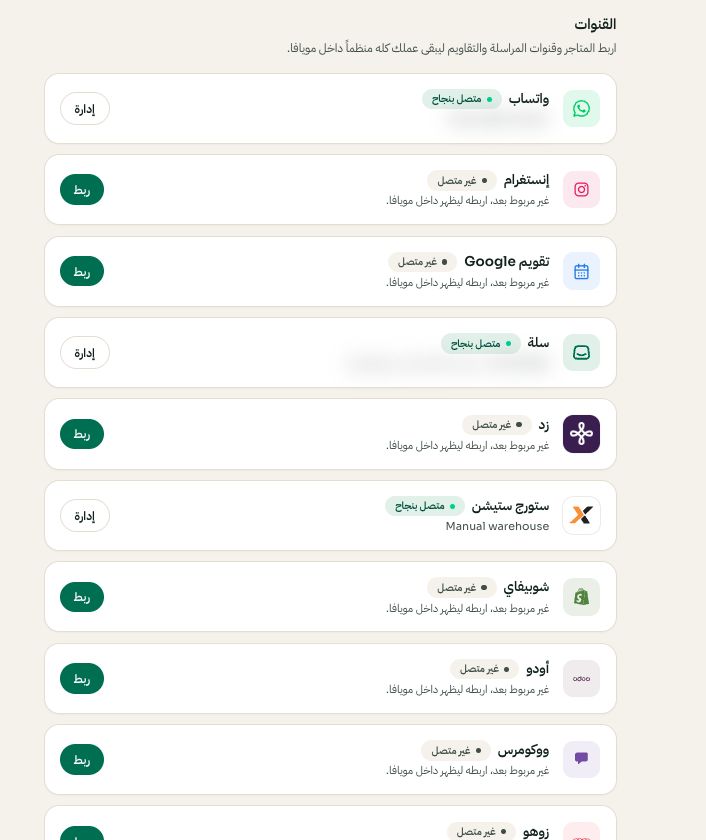
Settings → Channels: choose the platform, then Connect or Manage. Arabic interface shown; use the corresponding labels in your chosen language. Your available options and saved values may differ. Open the image to enlarge. - 4
Confirm the sync
Orders, products and customers sync, with live updates via webhooks. Re-sync any time from Settings → Shopify.