Connect your Odoo instance
Connect Odoo with a URL, database, username and API key.
- 1
Create an API key in Odoo
Confirm that your Odoo version and subscription allow external API access. In Odoo, open your profile/preferences and account security to create an API key; labels vary by version. Name it «Moyafa» and copy the key — it's shown only once.
- 2
Enter your Odoo details
In Moyafa, go to Settings → Odoo. Enter the instance URL (e.g. https://yourco.odoo.com — drop any /odoo path), the database name (the subdomain on Odoo Online, e.g. yourco), your login email, and the API key. Click «Connect Odoo» — we authenticate before saving and store the key encrypted.
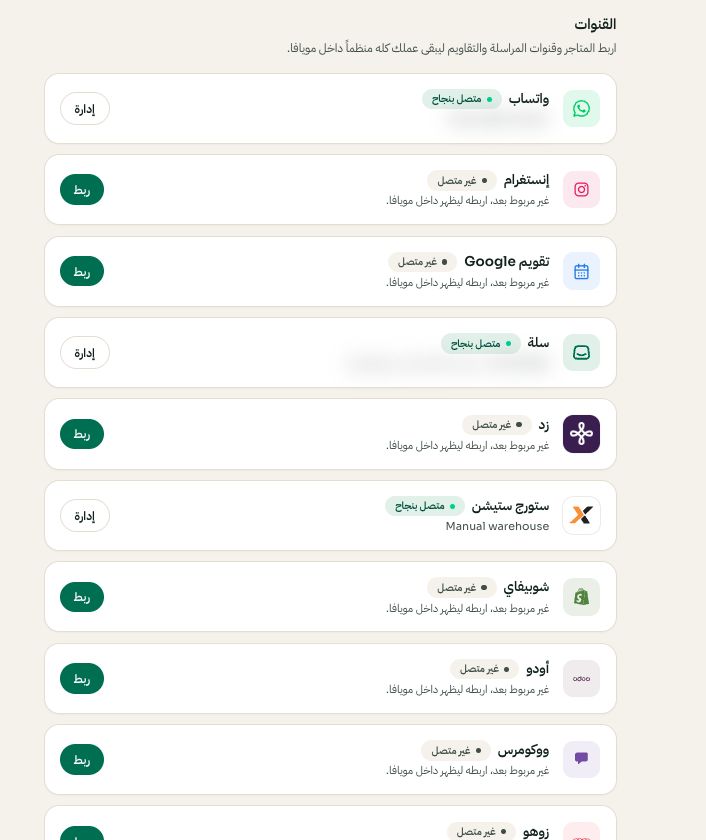
Settings → Channels: choose the platform, then Connect or Manage. Arabic interface shown; use the corresponding labels in your chosen language. Your available options and saved values may differ. Open the image to enlarge. - 3
Confirm the sync
Orders and products sync into Moyafa, tagged with the Odoo badge. Re-sync any time from Settings → Odoo.