Connect Notion to the knowledge base
Sync your Notion pages (FAQs, policies, notes) so the assistant answers from your own content.
- 1
Open the knowledge base
Automations → «AI Assistant» → the Knowledge base panel → the Notion card. Only an owner or admin can connect.
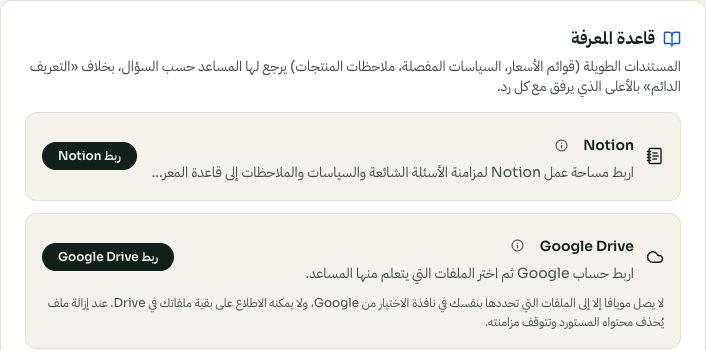
Choose a knowledge source; Google Drive and Notion are separate connections. Arabic interface shown; use the corresponding labels in your chosen language. Your available options and saved values may differ. Open the image to enlarge. - 2
Connect & choose pages
Click «Connect Notion», sign in, and on Notion's consent screen choose which pages to share — only the pages you select can be read.
- 3
Sync
Back in Moyafa, click «Sync now». Your pages become knowledge documents the assistant answers from. Re-sync whenever you update them in Notion — changes don't flow in on their own.